Simple counter
+, − and reset buttons that you show or hide, a step of your choice, decimals, vibration and a beep.
 Useful Counters
Counters for everyday life
A score, the glasses of water you drink, your sports sessions, the books you read, the days off you have left: create a counter for each, with its colour and its icon, and tap + to count. Daily totals and countdowns included.
Free with one counter, with ads. A monthly subscription through your app store unlocks unlimited counters without ads.
The screens shown are those of the Android version, some features will come later on iPhone.


Give it a title, an emoji icon and a colour, and choose its type: simple, daily or countdown.
Tap + to add, − to remove, or reset. Choose the step, even with decimals.
See your totals for the day, the week, the month or the year, or the time left before a date.
+, − and reset buttons that you show or hide, a step of your choice, decimals, vibration and a beep.
Totals by day, week, month and year, with navigation from one date to another: glasses of water, sports sessions, cigarettes avoided…
The time left until a date, or the time since it, with an optional repeat. Add it to your phone's calendar in one tap.
A title, an emoji and a colour for each counter, drag and drop to reorder them, and a dark mode.
Export your counters to a file and import them back, or save them to your Dropbox and load them on another phone.
No account: your counters are stored on your phone only. Remember to back them up regularly.
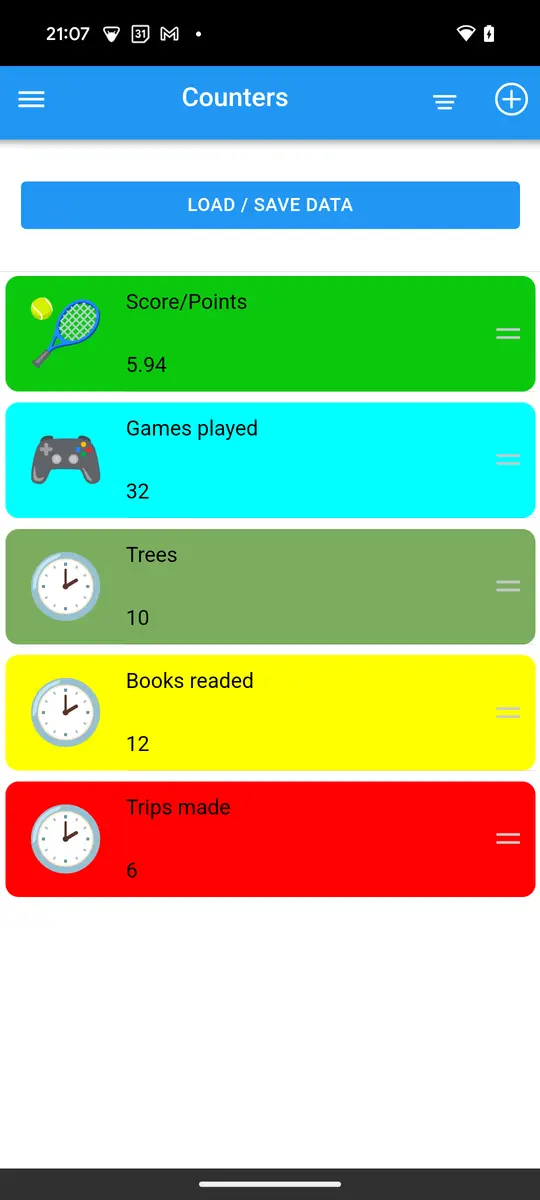
Anything: a game score, glasses of water, sports sessions, books read, trips, days off left. A daily counter adds up by day, week, month and year; a countdown shows the time left before a date.
One with the free version. The subscription unlocks unlimited counters and removes the ads.
On your phone only. Back them up regularly with the export to a file or to your Dropbox.
Yes: save them to a file or to Dropbox on the old phone, then load them on the new one.
No. Install the app and create your first counter.
The app's interface is in English for now. This website is translated so that you know what it does before installing it.
Yes. Choose the step of each counter, for example 0.5 or 0.25, and the number of decimals to show.
Install Useful Counters and create your first counter in a few seconds.